

STOP NIGHT SCROLLING
How to Stop Scrolling at Night: Build an Evening Dhikr Routine on iPhone
Build a practical evening dhikr routine on iPhone by placing a clear, reversible boundary before the distracting apps you choose.
Night scrolling often begins in a small transition: the day feels finished, the phone is already nearby, and one quick check turns into an open-ended feed. A useful evening boundary does not need to disable the whole iPhone. It can protect one deliberate routine while keeping essential access available.
01 · PRACTICAL GUIDE
Define the evening transition you want to change
Name the exact moment when optional scrolling usually begins: after closing a laptop, finishing household tasks, or picking up the phone while deciding what comes next. The target is not the phone itself. It is the unplanned move from a brief check to an open-ended feed.
For two or three evenings, notice the first action in that sequence. Which nonessential app opens, and what happened just before it? Keep the observation private. You do not need to record viewed content, searches, or personal details. One short note about the transition is enough.
This is a practical organisation exercise, not a diagnosis or a promise about sleep, health, or self-control. It does not define a religiously prescribed time for evening adhkar. Take religious timing and wording from a source-traceable collection or qualified guidance; the transition here only identifies where a routine could fit.
02 · PRACTICAL GUIDE
Choose a practical evening anchor
Choose an ordinary event you already notice, such as finishing dinner, putting away a work device, or beginning your usual wind-down. A reliable personal cue is better than a perfect schedule. It is for organisation only and does not turn that moment into a religious rule.
Keep the boundary small. Select one or two apps connected to the transition, not every possible distraction. Leave calls, family messages, emergency access, travel, health, work, and other essential tools available. The routine should not make the entire iPhone unusable.
Define completion before configuring a tool: finish the evening flow you chose from a verified or source-traceable collection without racing merely to clear a barrier. If an app does not suit you, use a printed collection, a trusted digital source, and ordinary iPhone settings.
03 · PRACTICAL GUIDE
Build the routine in six steps
- 1Choose one stable personal cue
Describe the evening anchor in plain language and avoid a complicated chain of conditions. The cue starts your personal sequence; it makes no claim about the religious timing of evening adhkar.
- 2Prepare a source-traceable collection
Choose a trusted collection before the evening and keep it easy to reach. This guide does not reproduce or rewrite adhkar. Follow the wording, order, repetition, and timing guidance attached to the verified source.
- 3Select the smallest useful app group
Begin with one or two nonessential apps that start the night scroll. A narrow selection is easier to test and less likely to disrupt important tasks. There is no universal list for every household or job.
- 4Protect essential access
Leave communication, emergency, transport, health, work, and other necessary tools available. Exclude anything that may matter at short notice. The boundary should pause optional distraction, not prevent responsible phone access.
- 5Configure and test the complete handoff
Set the evening routine, grant Apple Screen Time permission, and test one selected app. Confirm that the shield appears during the active routine and that the app becomes accessible after completion before adding anything else.
- 6Review one practical variable
After several evenings, review the cue, app list, or setup—one element at a time. A completion mark cannot measure faith, sincerity, or acceptance, and the tool cannot guarantee your next choice.
04 · PRACTICAL GUIDE
Use iPhone tools without making the whole phone unusable
A reminder surfaces an intention; a Screen Time shield creates a visible interruption when you tap a selected app. Used narrowly, it clarifies the planned order while the configured routine and essential parts of the iPhone stay available.
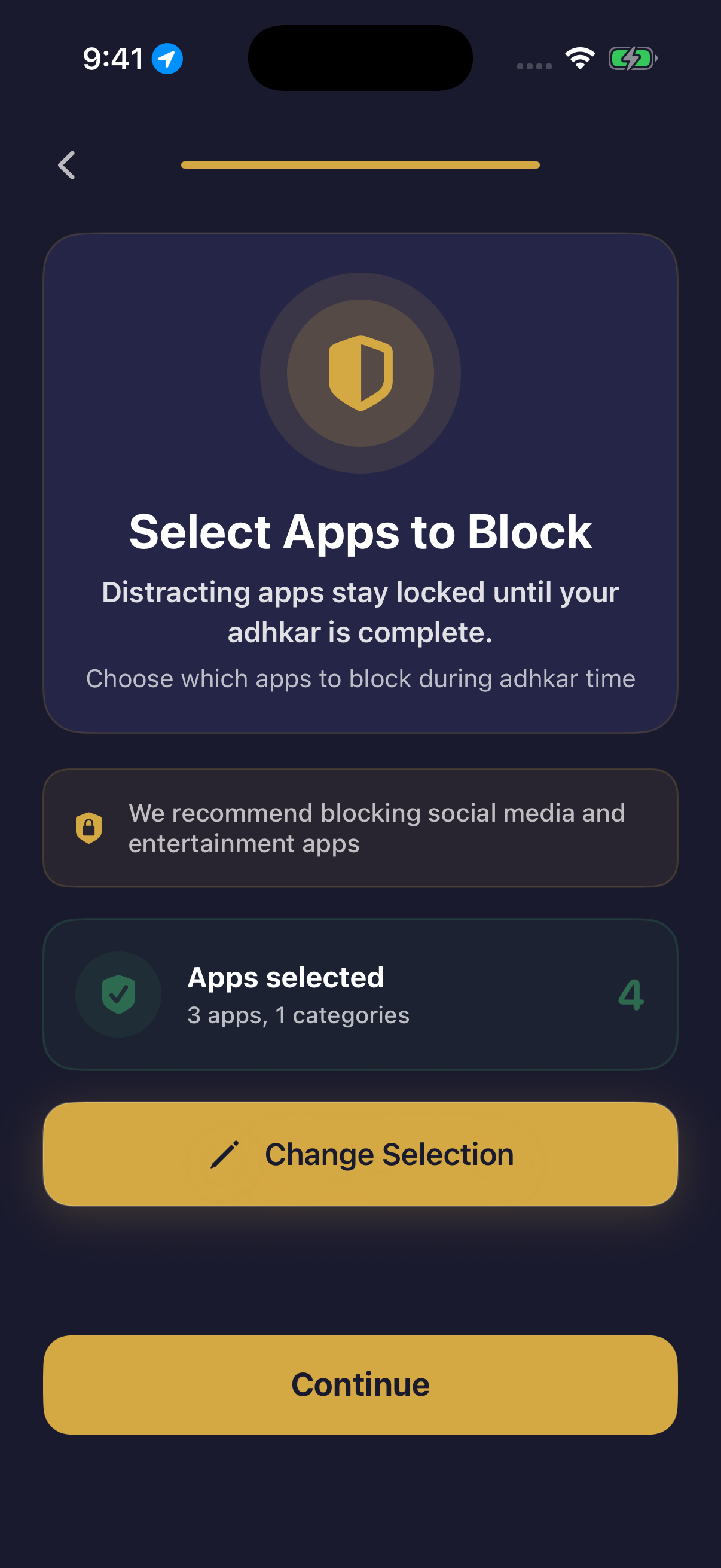
Hisn applies the boundary only to apps the user selects. During a configured morning or evening routine, those apps can wait behind Apple Screen Time and become accessible after completion. Hisn does not lock the whole iPhone, choose every app, or claim an impossible-to-bypass restriction.
Test the behavior first. Activate the evening routine, leave Hisn, and open one selected app. Confirm the shield appears, complete the configured flow, and verify that the app is available again. If not, review the permission, selection, and routine settings before expanding the list.
05 · PRACTICAL GUIDE
A simple evening sequence
When your anchor arrives, reach for the verified collection before an optional feed. Begin the configured Hisn routine, or open a trusted printed or digital collection and use the iPhone boundary you prepared. The method does not depend on one app.
If you tap a selected app while Hisn’s routine is active, treat the Screen Time shield as information, not punishment. Return when practical, handle essential responsibilities first, and continue later if needed. This article assigns no religious consequence to an interruption or missed personal cue.
After completion, the apps in Hisn’s boundary become accessible again. You decide whether to open one, put the phone down, or move to another task. The sequence replaces an accidental first tap with a visible choice; software cannot determine the quality of worship or control every later action.
06 · PRACTICAL GUIDE
Common mistakes
- Selecting too many apps, making the first setup harder to test.
- Including essential communication, emergency, health, transport, family, or work tools.
- Presenting a personal anchor as a religiously prescribed time.
- Racing through the routine only to remove the shield.
- Changing the cue, schedule, apps, and routine together.
- Expecting a tool to guarantee behavior, health, worship, or a religious outcome.
07 · PRACTICAL GUIDE
Where Hisn fits
Hisn is an optional adhkar and focus app for iPhone and iPad. You can use this method without it by combining a source-traceable collection, a personal cue, and settings that protect essential access. The narrow sequence matters more than the software.
Hisn combines a verified morning-and-evening flow with a user-controlled boundary. During the configured evening routine, chosen distracting apps can wait behind Apple Screen Time and become accessible after completion. The entire phone is not locked.
Start with one app and one anchor, then test the shield-and-release sequence. Current availability, supported languages, eligibility, and any purchase conditions are shown in the App Store, which remains the current reference.
CLEAR ANSWERS
Questions about the routine
How do I stop scrolling at night on my iPhone?
Identify the first nonessential app, choose a stable personal cue, keep essential access available, and test a narrow boundary. Pair it with opening a source-traceable evening collection. This creates a deliberate choice but does not guarantee the next action.
Does Hisn lock the whole iPhone at night?
No. User-selected distracting apps can wait behind Apple Screen Time during a configured routine. Other parts of the iPhone remain available, and essential apps should stay outside the selected group.
What happens after I complete the evening routine?
The apps included in the configured Hisn boundary become accessible again. You choose whether to open one, continue another task, or put the phone down.
Do I need Hisn to build an evening dhikr routine?
No. A source-traceable printed or digital collection, a personal cue, and ordinary iPhone settings can support the method. Hisn is an optional way to combine the flow and boundary.
Does this article set the religious time for evening adhkar?
No. These anchors and sequences are for personal organisation only. Follow verified timing and wording guidance, and seek qualified guidance for religious questions.
This guide describes Hisn’s current iPhone and iPad focus flow without promising a guaranteed behavioral, medical, or religious outcome. Current App Store availability and device compatibility are shown by Apple.