
REMEMBRANCE, THEN RETURN
Dhikr before
distraction.
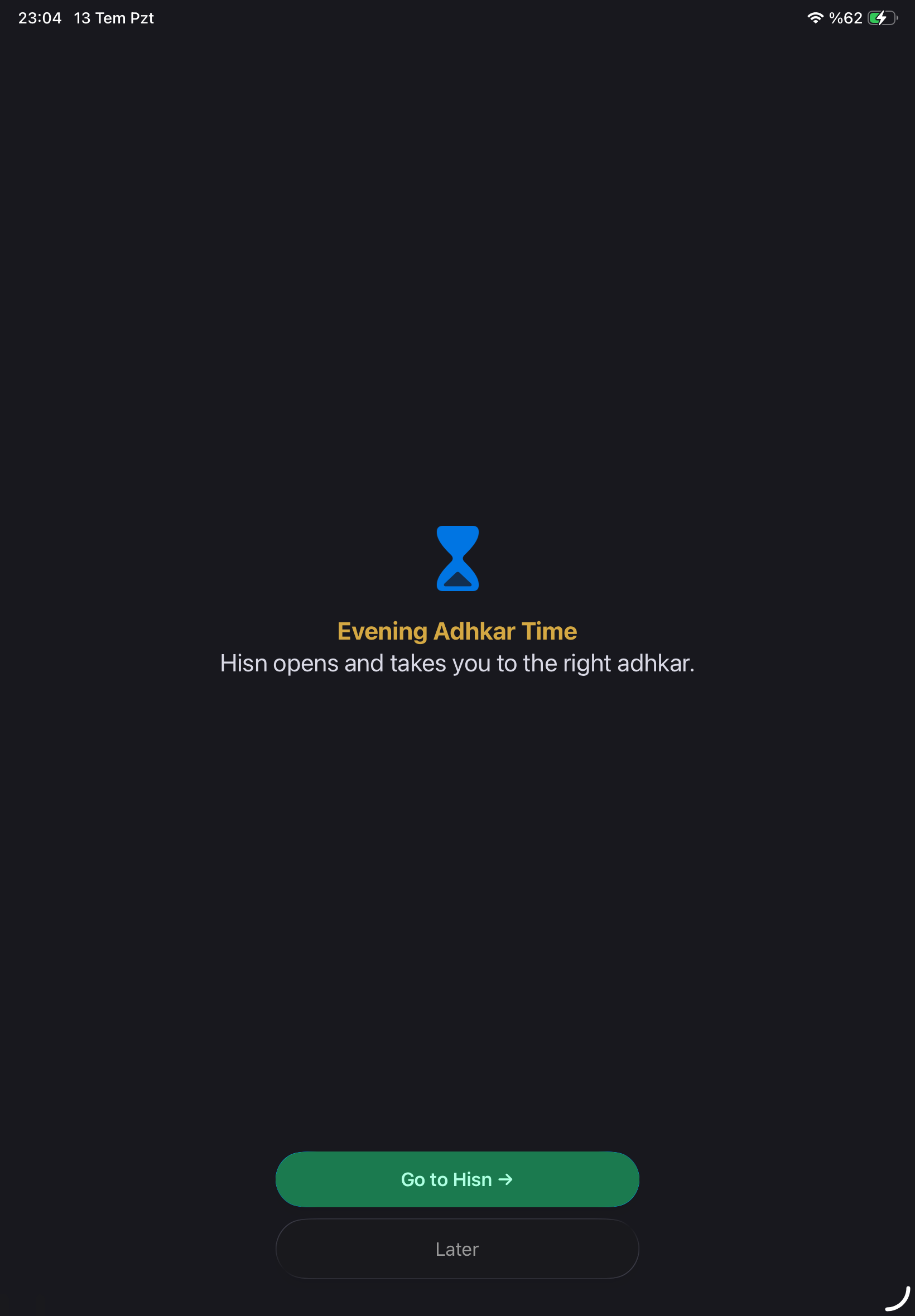
Choose the apps that compete for your attention. When one opens during adhkar time, Apple’s Screen Time shield places Hisn in front—so remembrance can come before the distraction.
Select the apps you want to pause during adhkar time.
A real Screen Time shield appears in front of the selected app.
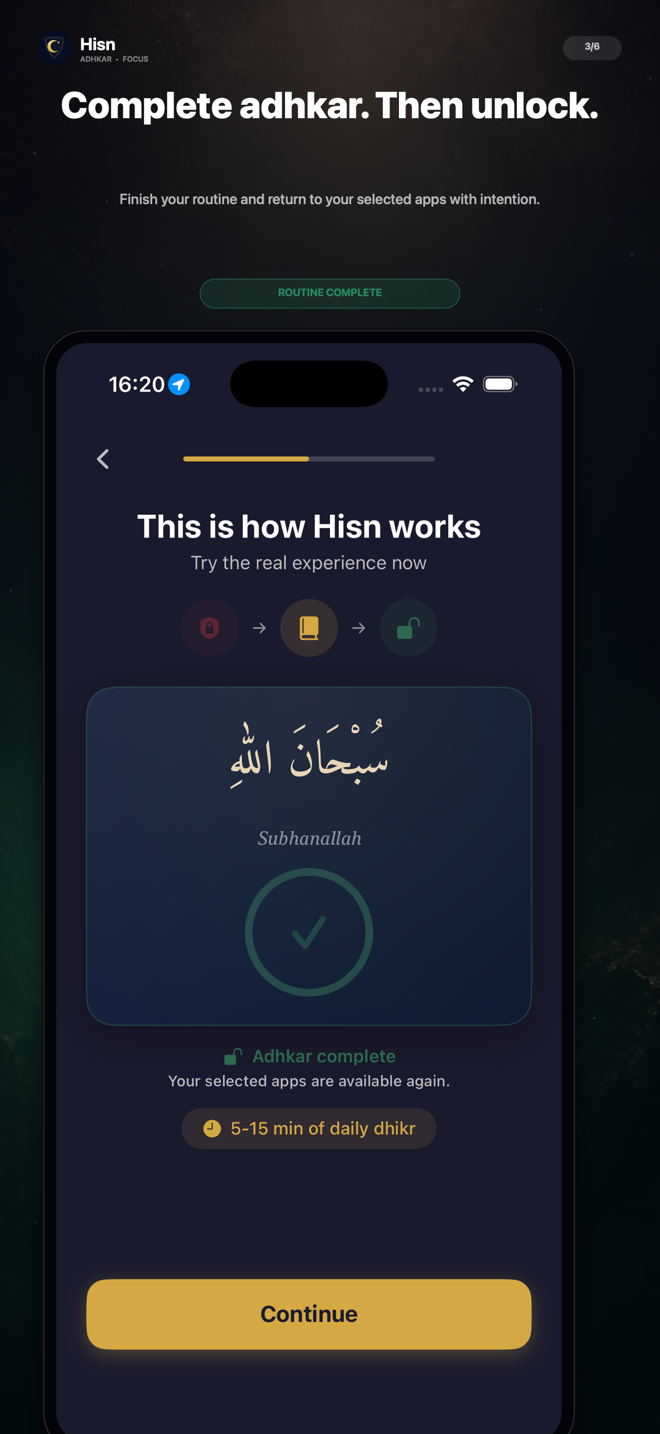
Complete the routine, then return to your selected apps.
THE HISN DIFFERENCE
A pause with a purpose.
Screen-time tools often stop at restriction. Hisn uses Apple’s Screen Time technology to connect that pause to a routine you already want to keep: morning or evening adhkar.
- You decide which apps wait
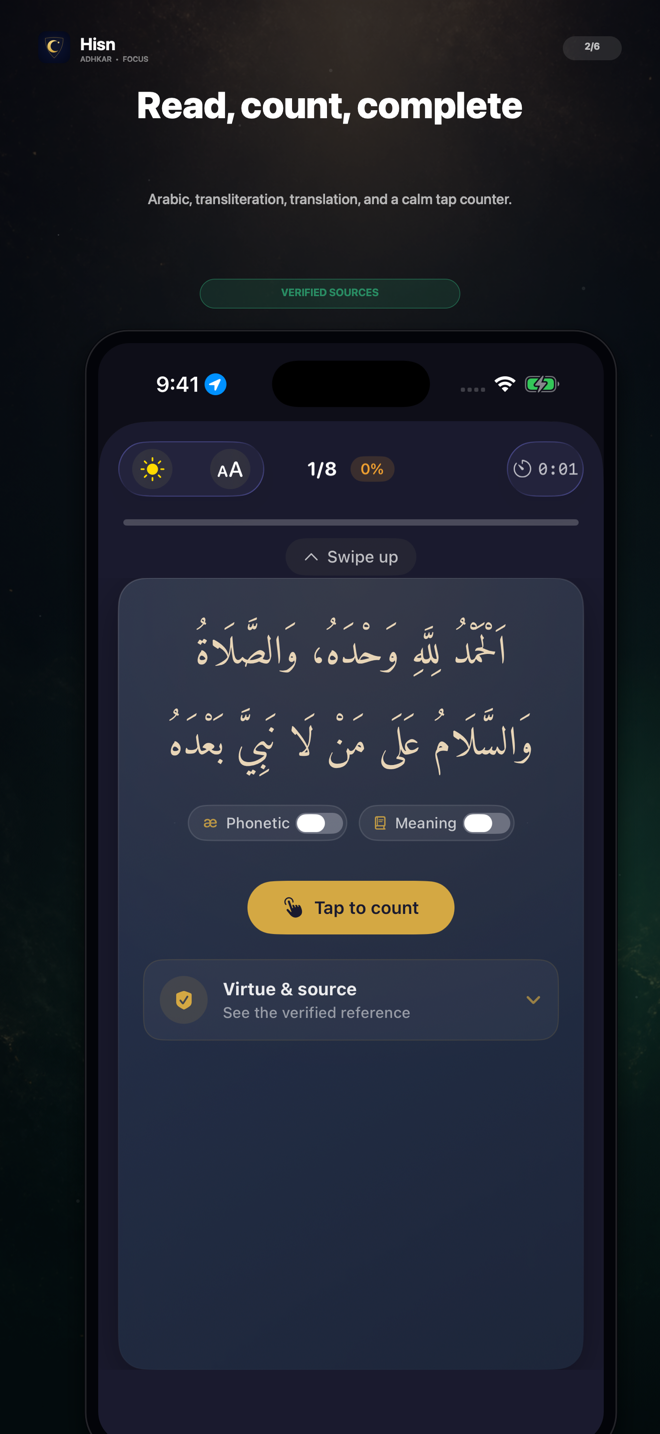
- Arabic, transliteration, translation, and tap counter
- Morning and evening routines in one place
- Private progress designed to stay on your device

START WITH YOUR INTENT
One app. Three useful paths.
Explore the part of Hisn that matches what you are trying to do today.
Dhikr before scroll
Put a calm adhkar routine between the impulse to open a distracting app and the moment you return.
Explore focus shield →02Morning & evening adhkar
Keep Arabic, transliteration, meaning, count, and completion together in one readable routine.
Build your routine →03Prayer times & Qibla
See the five daily prayers, what comes next, and Qibla alongside your adhkar practice.
Explore the companion →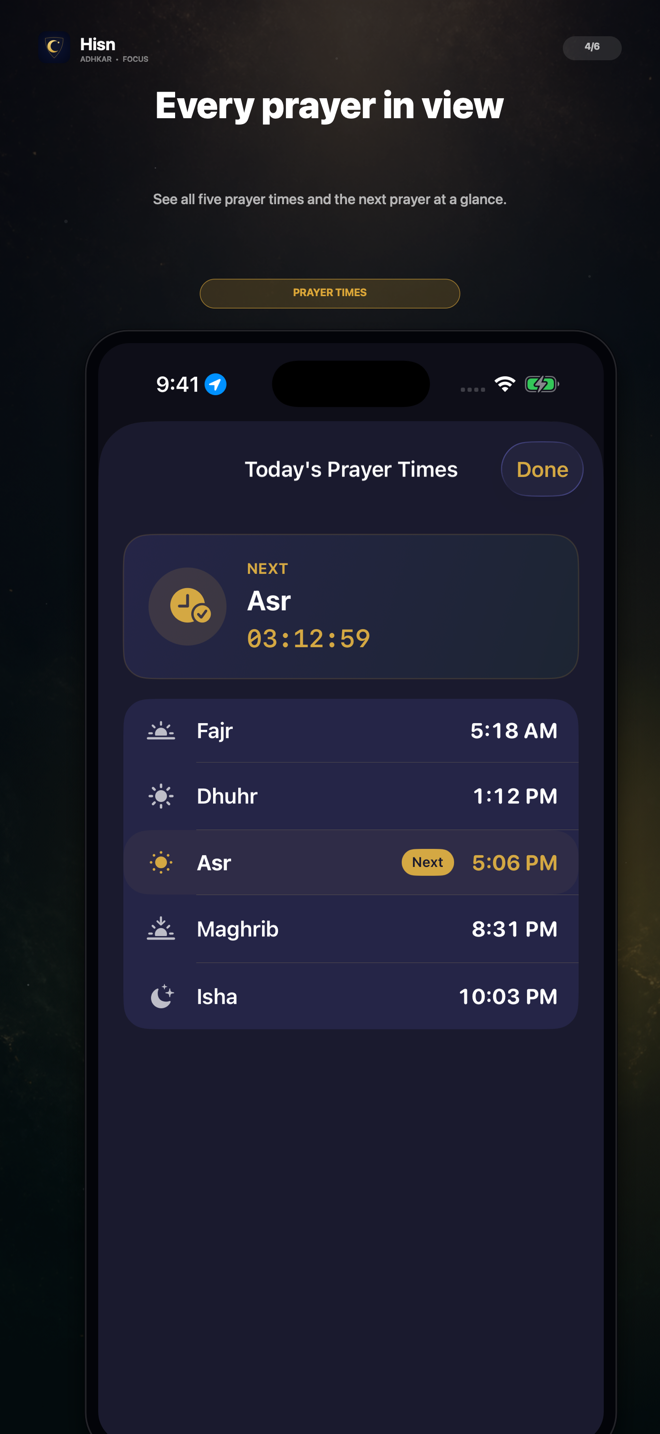
MORE THAN A BLOCKER
Keep the day in view.
Hisn places five prayer times and Qibla beside the same morning and evening routine—without turning the experience into a crowded dashboard.
- Five prayer times at a glance
- Next-prayer countdown
- Qibla compass and alignment guidance
- Available with your adhkar routine
THE HISN JOURNAL
A practical guide for the next small step.
Read a useful routine first. Decide whether Hisn fits your phone afterwards.
Are Prayer Times and Qibla Free in Hisn? No Subscription Needed
Yes. Hisn’s prayer times and Qibla are free to use. You do not need to start a subscription, enter a payment method, or unlock Focus Pro to check the five daily prayer times or open the Qibla tool.
PRIVATE BY DESIGN
Your routine is not an ad profile.
No Hisn account is required. Your selected-app choices, adhkar progress, and prayer settings are designed to stay on your device.
COMMON QUESTIONS
Clear answers, no hype.
What makes Hisn different?
Hisn connects a morning or evening adhkar routine with apps you choose. Those selected apps wait while the routine is active, creating a deliberate pause before distraction.
Can I choose which apps wait?
Yes. The selection is user-controlled. Hisn does not claim that every app is impossible to open in every circumstance.
Does Hisn require an account?
No. Hisn does not require an account.
Does Hisn include prayer times and Qibla?
Yes. Five daily prayer times and a Qibla compass sit alongside the adhkar routine.
BEGIN WITH REMEMBRANCE
Let the scroll wait.
Start your morning or evening adhkar, then return with intention.