
MORNING ROUTINE
Morning Adhkar Before Checking Your Phone
Build a practical morning adhkar routine before checking social or entertainment apps, using a small, user-controlled pause on iPhone.

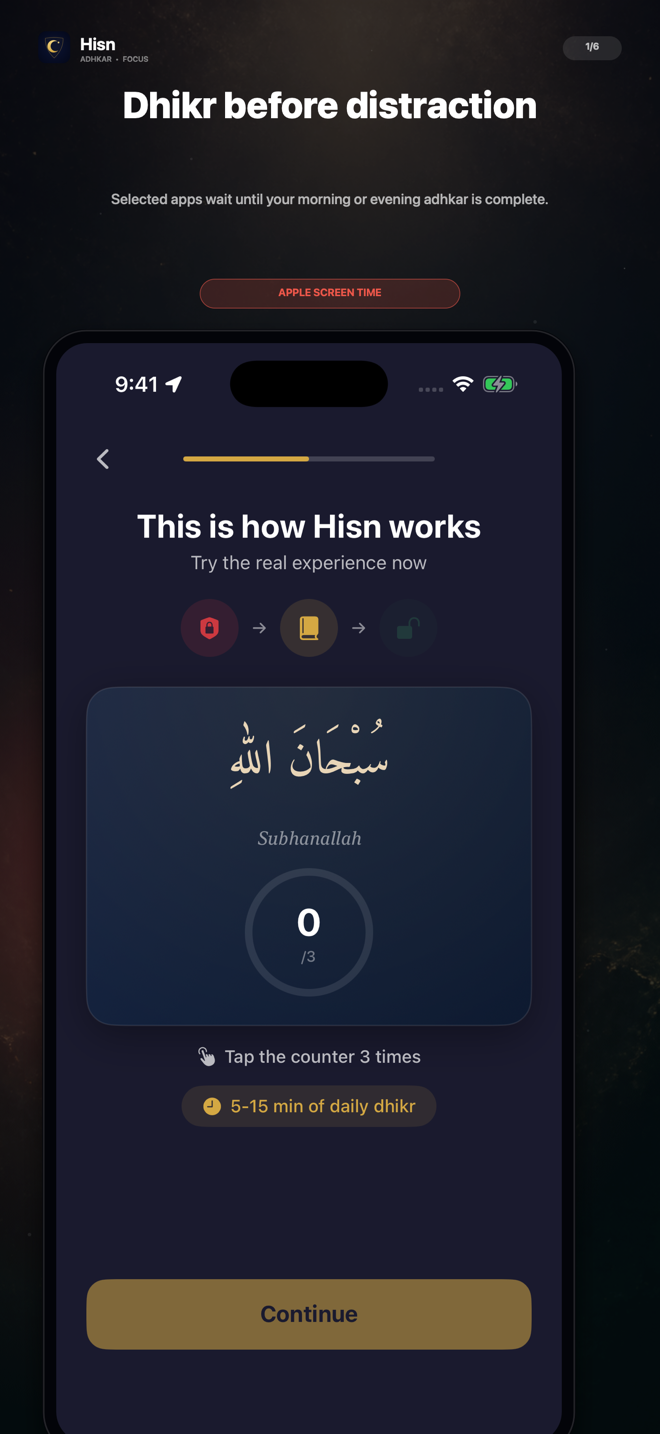
Make the first phone transition of the day easier to recognize: let a few selected apps wait, complete your morning routine, then choose what deserves your attention.
01 · PRACTICAL GUIDE
Notice the first checking loop
The first phone check of the morning often starts with something practical: dismissing an alarm, checking the time, or reading an expected message. The scroll begins when that useful action quietly turns into opening one more app, then another, before you have decided how you want the morning to begin.
A morning adhkar-before-phone routine does not require you to avoid the device completely. The useful boundary is narrower: identify the apps that usually start the checking loop and place one deliberate routine before them. Calls, messages, alarms, or other tools can remain outside that boundary if they are not part of the distraction you are trying to change.
The goal is not to prove perfect self-control. It is to make the transition visible enough that you can choose what happens next.
02 · PRACTICAL GUIDE
Build one sequence you can repeat
A routine is easier to follow when every step answers one question. What starts it? Which apps wait? What do you complete? What happens when you finish? Keep those answers short enough that you can remember them before you are fully awake.
Use the same sequence for several mornings before changing it. Consistency makes it easier to tell whether the boundary is understandable; changing the trigger, app list, schedule, and reading view together makes the result difficult to interpret.
- 1Choose a recognizable trigger
Use a moment that already happens, such as dismissing the morning alarm or finishing your first practical phone task.
- 2Select only the distracting apps
Begin with the small group most likely to turn a quick check into an automatic scroll. You control the selection.
- 3Complete the morning routine
Keep Arabic, transliteration, translation, and the tap counter available in the reading view according to what helps you follow it.
- 4Return by choice
When the routine is complete, decide whether opening the selected app still fits what you want to do next.
Choose what waits, complete the routine, then return with intention.
03 · PRACTICAL GUIDE
Keep the setup deliberately small
Selecting every app can turn a clear routine into a complicated phone rule. Start with the apps most closely connected to morning distraction. A smaller list is easier to understand, easier to adjust, and less likely to interfere with something you genuinely need.
Hisn uses Apple’s Screen Time technology for the apps you select while the routine is active. That creates a user-controlled pause; it is not a claim that every app becomes impossible to open in every circumstance. The selected-app choices, adhkar progress, and prayer settings are designed to stay on your device, and no Hisn account is required.
If the first setup feels too broad, reduce the app list before changing the whole routine. If it starts too early or too late, adjust the window without rewriting the rest of the sequence.
04 · PRACTICAL GUIDE
Review the sequence after seven mornings
After a week, review whether the sequence appeared at the right moment and whether the next step was obvious. This is a check of the routine’s clarity, not a score for productivity, discipline, or religious practice.
If something did not work, choose one adjustment. A single change gives the next week a clear question to answer.
- Did the selected apps wait during the intended morning window?
- Was the morning routine ready when you expected it?
- Could you complete it without searching through unrelated screens?
- Did you know what you wanted to do after completion?
- What is the one setting that would make tomorrow clearer?
05 · PRACTICAL GUIDE
Where Hisn fits—and what stays with you
Hisn brings the selected-app pause and the morning adhkar reader into one flow. You choose what waits, follow the routine with the reading controls you need, and return when it is complete. Prayer times and Qibla remain nearby without changing the purpose of the morning sequence.
The app does not promise a guaranteed habit change, a medical outcome, or an unbreakable system lock. It provides a specific structure for one phone transition. The selection, the schedule, and the decision to return remain yours.
If the first checking loop is the moment you want to change, begin with a small app list and one repeatable morning window. Keep everything else stable long enough to learn whether that boundary helps.
CLEAR ANSWERS
Questions about the routine
Do I need to make every app wait in the morning?
No. Start with the apps most connected to the automatic checking loop. The selection is user-controlled and can remain small.
Does the routine mean I cannot use my phone first?
No. You can keep practical phone tasks outside the selected-app boundary. The guide focuses on placing morning adhkar before the apps that usually begin an unplanned scroll.
Do I need a Hisn account?
No. Hisn does not require an account.
What should I change if the routine feels unclear?
Change one element, such as the selected-app list or the morning window, then keep the rest stable for the next check.
This guide describes Hisn’s current iPhone and iPad focus flow without promising a guaranteed behavioral, medical, or religious outcome. Current App Store availability and device compatibility are shown by Apple.